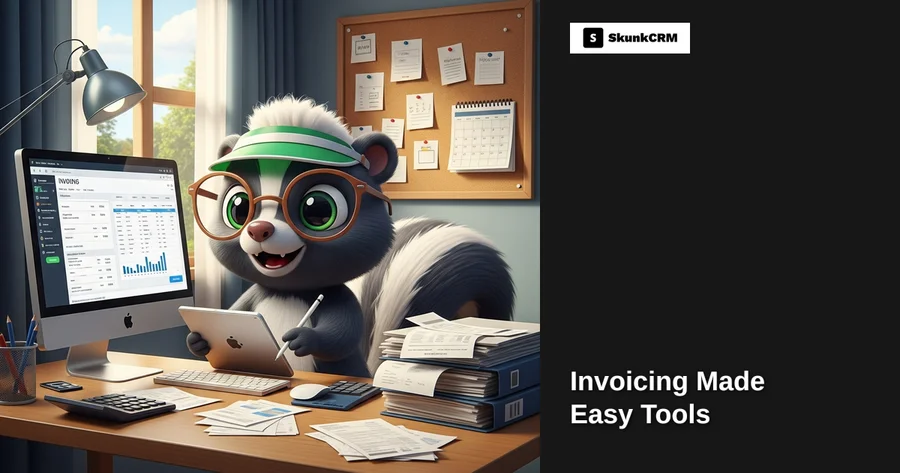
Most freelancers spend up to 20% of their working hours on administrative tasks like invoicing. If you’re handling multiple clients, the time spent adds up quickly, leaving less room for creative or billable work. Imagine a graphic designer juggling five clients, each with different project rates and deadlines. That’s not just stressful; it’s a potential mess if invoices aren’t handled efficiently. Invoicing might not be the most glamorous part of freelancing, but it’s crucial for maintaining a healthy cash flow. So how do you simplify this? Let’s explore five tools that can turn your invoicing headache into a streamlined process.
The Challenge of Invoicing for Freelancers
Freelancers often find themselves tangled in the web of invoicing complexities. It’s not just about creating invoices; it’s the entire cycle of managing them that can be daunting. Time consumption is a significant issue. Crafting an invoice, ensuring it meets client requirements, and sending it out can eat up precious hours. Then there’s the challenge of tracking payments. Did Client A pay for last month? Is Client B overdue? Without a streamlined system, you’re left sifting through emails and bank statements. Managing multiple clients only compounds these problems. Each client might require different billing terms, which means keeping tabs on various contracts and payment schedules. It’s easy to see how freelancers can become overwhelmed.
Why Simplifying Invoicing Matters
Streamlining your invoicing process isn’t just about saving time. It’s about enhancing your entire freelance operation. Improved cash flow is one of the most immediate benefits. When invoices are sent out promptly and tracked effectively, payments come in faster, helping you maintain a steady income. Reduced errors is another significant advantage. An efficient system minimizes mistakes that could lead to awkward client conversations or delays in payment. Finally, efficient invoicing adds a layer of professionalism to your business. Clients appreciate clear, accurate, and timely invoices, which can enhance your reputation and lead to more work.
Free CRM Implementation Checklist
70% of CRM implementations fail. Don't be one of them. Get our 40+ point checklist covering all 5 implementation phases.
Get the Free ChecklistTool 1: FreshBooks
Features Overview
FreshBooks stands out with its robust set of features tailored for freelancers. Automated invoicing is a game-changer, allowing you to set up recurring invoices for regular clients. This feature alone can save hours each month. Expense tracking and time tracking are seamlessly integrated, providing a comprehensive view of your projects and finances. Knowing exactly where your time and money go is essential for pricing your services correctly and making informed business decisions.
Integrations and Customizations
FreshBooks offers numerous integrations, connecting with popular tools like PayPal, Stripe, and even G Suite. This connectivity ensures that your invoicing process is part of a larger, cohesive workflow. Customization options allow you to tailor invoices to reflect your brand, from adding logos to choosing color schemes. This personal touch can make a significant difference in how clients perceive your professionalism.
Practical Example
Consider a solo developer managing several app development projects. Using FreshBooks, they can set up automated invoices for each milestone payment, ensuring consistent cash flow. Time tracking helps them accurately bill for hourly work, while expense tracking keeps their project costs in check. With FreshBooks, they’re not just sending invoices; they’re managing a streamlined, professional operation.
Tool 2: QuickBooks
Features Overview
QuickBooks is another powerhouse in the invoicing world, known for its comprehensive feature set. Users can easily create and send invoices, track payments, and even generate detailed financial reports. These reports offer insights into your business’s financial health, helping you make informed decisions about pricing, expenses, and more.
Ease of Use
What sets QuickBooks apart is its user-friendly interface. Even if you’re not a numbers person, navigating through the dashboard is intuitive. This ease of use means you spend less time fumbling with software and more time focusing on your clients. For freelancers, managing diverse financial tasks in one place is a huge plus.
Practical Example
Imagine a freelance writer handling varied writing gigs from different clients. QuickBooks allows them to categorize each project, send out tailored invoices, and track payments with ease. The platform’s financial reports help them understand which types of projects are most profitable, enabling better business planning.
Tool 3: Wave
Features Overview
Wave is a standout tool primarily because it offers invoicing, accounting, and receipt scanning for free. This makes it particularly attractive for freelancers who are just starting out or who operate on tight budgets. The free invoicing feature lets you create personalized invoices and send them directly to clients. Plus, the integrated accounting functionality means you can keep all your financial tracking in one place.
Benefits for Freelancers
For budget-conscious freelancers, Wave provides a powerful solution without the cost barrier. Beyond being free, its ease of use is another major benefit. You don’t need to be a financial expert to navigate its features. This accessibility allows freelancers to focus more on their core work rather than getting bogged down in financial management.
For more on how CRMs can benefit specific industries, check out how Graphic Design Studios leverage technology for efficiency.
Practical Example
Consider a small project with minimal expenses, like a one-off logo design. A freelancer using Wave can quickly whip up an invoice, send it to the client, and track payment—all at no cost. This hassle-free process means even the smallest projects are managed efficiently, allowing freelancers to keep their operations lean and effective.
In the next section, we’ll cover two more tools that can further simplify your invoicing tasks. Stay tuned for more insights and practical tips!
Tool 4: Xero
Features Overview
Xero is a powerhouse when it comes to handling complex invoicing tasks. With multi-currency support, it’s a dream come true for freelancers working with international clients. Beyond that, Xero offers project tracking, making it easy to link invoices to specific projects and keep everything organized. Plus, with mobile access, you can manage invoices on the go, ensuring you’re always on top of your financial game.
Scalability
As your business grows, so do your invoicing needs. Xero scales beautifully, offering features that cater to a growing list of clients and increasingly complex financial transactions. Whether you’re handling ten invoices a month or a hundred, Xero adjusts to your pace, providing robust tools to manage your expanding business without a hitch.
Practical Example
Imagine Jane, a freelancer graphic designer whose business is rapidly growing. With new clients across the globe, she needs a tool that can handle multi-currency invoicing and project tracking. Xero allows her to easily manage invoices linked to each project, track payments, and even offer her clients a portal to view and pay their invoices. With Xero’s mobile app, Jane can send invoices and check payment statuses anytime, anywhere, ensuring she never misses a beat.
Tool 5: Zoho Invoice
Features Overview
Zoho Invoice packs a punch with features like recurring invoices, which automate the billing process for repeat clients. It also offers a variety of templates to customize your invoices, ensuring they reflect your brand. The client portal access lets clients view invoices, make payments, and communicate easily, enhancing transparency and trust.
Integration with Zoho Suite
The real magic happens when Zoho Invoice integrates seamlessly with other Zoho products. If you’re already using Zoho CRM, combining it with Zoho Invoice creates a streamlined workflow where client information automatically syncs across platforms. This eliminates double-entry and reduces human error, making your invoicing process more efficient.
Practical Example
Consider Alex, a freelance writer managing multiple long-term clients. By using Zoho Invoice alongside Zoho CRM, Alex can effortlessly sync client data and manage invoices from a single dashboard. This integration allows Alex to send customized recurring invoices, track payments, and manage client communications all in one place, significantly reducing administrative overhead.
Choosing the Right Tool for You
Assessing Your Needs
Before diving into any tool, take a moment to evaluate your specific invoicing needs. Are you dealing with international clients? Do you need detailed project tracking? Your business model will dictate which features are essential.
Budget Considerations
While it’s tempting to opt for the most feature-rich tool, aligning your choice with your budget is crucial. Many tools offer a range of pricing tiers, so consider starting small and scaling up as your needs grow.
Trial and Error
Don’t be afraid to test multiple tools to find the perfect fit. Most invoicing platforms offer free trials, allowing you to explore features and see what works best for your workflow. Remember, it’s about finding a tool that feels intuitive and meets your needs.
FAQ
What if I have multiple clients?
Tools like Xero and Zoho Invoice are designed to efficiently manage multiple clients. They allow you to create, track, and send invoices for each client, with features like client portals providing a one-stop shop for clients to access and pay invoices.
Can these tools handle international clients?
Absolutely. Both Xero and Zoho Invoice offer multi-currency support, allowing you to bill clients in their local currency. This feature reduces currency conversion headaches and ensures accurate, professional invoicing.
Are these tools secure?
Security is a top priority for these invoicing tools. They employ encryption and other security measures to protect your data and ensure privacy. Always verify that the tool you’re using complies with the latest security standards.
How do these tools integrate with WordPress?
Many invoicing tools offer plugins or integration options for WordPress. This can help you manage invoicing directly from your website, streamlining operations for businesses with an online presence.
Can I automate recurring invoices?
Yes, automation is a key feature. Tools like Zoho Invoice allow you to set up recurring invoices, saving time and reducing the risk of manual errors. This feature is especially useful for freelancers with long-term clients.
Key Takeaways
- Efficiency is Key: Choosing the right tool can save time and reduce errors in your invoicing process.
- Customization and Integration: Look for tools that offer customization options and seamless integration with existing workflows.
- Trial and Adaptation: Don’t hesitate to try different tools to find one that fits your unique needs.
- Stay Secure: Ensure the tool you choose prioritizes data security and complies with industry standards.
- Scale with Confidence: Opt for a tool that can grow alongside your business, supporting increasing complexity and volume.
When it comes to managing your business, the right invoicing tool can make all the difference. By choosing a tool that aligns with your needs and budget, you can streamline your invoicing process, reduce errors, and ultimately, save valuable time. This, in turn, allows you to focus on what you do best—growing your business and serving your clients. If you’re still unsure which tool to choose, consider starting with SkunkCRM, which offers a suite of features designed to support businesses of all sizes. Whether you’re a freelancer or a small business owner, the right CRM can streamline your operations and enhance client management, setting you up for success.