
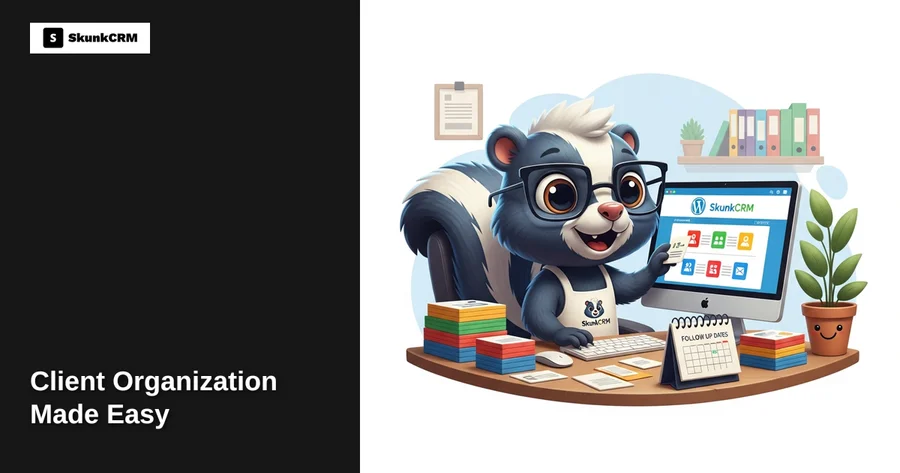
Picture this: you’re a small business owner juggling multiple client projects, and suddenly you realize you’ve forgotten to follow up with a key client. That moment of panic is all too familiar for many. In fact, studies show that small business owners can lose up to 23% of potential repeat customers simply because they forget to follow up. The reality is, keeping track of client interactions manually or through scattered spreadsheets can lead to errors and missed opportunities. But it doesn’t have to be this way. By organizing your client information efficiently, you can foster stronger relationships and smoothly manage your business operations. Let’s explore how you can achieve this without stress.
The Importance of Client Organization
Organizing clients isn’t just about keeping everything neat and tidy—it’s a fundamental part of running a successful business. When you have a structured system for managing client information, you’re not just storing data; you’re building better relationships. A well-organized client database allows you to personalize interactions, ensuring that each client feels valued and understood. This, in turn, enhances customer satisfaction and loyalty, directly impacting your bottom line.
Moreover, efficient client organization streamlines your business operations. By having easy access to client histories, preferences, and previous communications, you can make informed decisions quickly. This reduces the time spent searching for information and allows you to focus on what truly matters—growing your business. For small business owners, this can be the difference between thriving or getting bogged down by administrative tasks.
Free CRM Implementation Checklist
70% of CRM implementations fail. Don't be one of them. Get our 40+ point checklist covering all 5 implementation phases.
Get the Free ChecklistChallenges of Traditional Client Management
Many small business owners start with what seems like the simplest solution—spreadsheets. While initially convenient, spreadsheets can quickly become cumbersome and error-prone. As your client base grows, managing data in a spreadsheet can lead to inaccuracies, such as duplicate entries or outdated information. This not only creates confusion but can also damage client trust if incorrect information is used.
Another common issue with traditional client management methods is the risk of missed follow-ups. Without automated reminders, it’s easy to overlook crucial client interactions, especially when you’re juggling multiple tasks. This can lead to lost business opportunities and weakened relationships with clients who feel neglected.
In addition, manual methods are time-consuming. The time spent entering data, checking for errors, and manually tracking communications is time not spent on strategic activities that drive your business forward. It’s clear that traditional methods have limitations that can hinder your growth.
How SkunkCRM Streamlines Client Organization
SkunkCRM offers a solution that transforms how you manage your clients. As a WordPress plugin, SkunkCRM integrates seamlessly into your existing website, offering a user-friendly interface that simplifies client management. By centralizing your client information, SkunkCRM ensures that you have everything you need at your fingertips.
One of the standout features of SkunkCRM is its ability to automate tasks. With email integration and Google Calendar sync available in the Pro version, you can schedule follow-ups and set reminders with ease. This means you’re less likely to miss important client interactions, helping you maintain strong relationships and increase client retention.
Additionally, SkunkCRM allows you to log activities and notes, providing a comprehensive view of your client interactions. This feature enables you to track the history of communications and tailor your approach based on past interactions. As a result, you can deliver personalized service that meets your clients’ unique needs.
“Automation in client management not only saves time but also enhances accuracy, allowing you to focus on building meaningful relationships.”
By using SkunkCRM, you’re not just organizing data; you’re empowering your business to operate more efficiently and effectively.
Setting Up SkunkCRM on Your WordPress Site
Installation and Initial Setup
Getting started with SkunkCRM is straightforward. First, you’ll need to install the plugin on your WordPress site. Here’s a simple step-by-step guide:
- Log in to your WordPress dashboard.
- Navigate to the plugin section and search for SkunkCRM.
- Click ‘Install Now’ and activate the plugin once the installation is complete.
- Follow the on-screen instructions to complete the initial setup.
Once installed, you can begin importing your client data via CSV files, a feature available in the free version of SkunkCRM. This allows you to quickly populate your database and start managing client information efficiently.
Customizing Client Fields
Every business is unique, and SkunkCRM recognizes that by allowing you to customize client fields to match your specific requirements. Here’s how you can tailor the fields:
- Navigate to the client management section of SkunkCRM.
- Choose the option to add or edit fields.
- Customize the fields to reflect the information most relevant to your business, such as industry-specific data or unique client preferences.
By customizing your client fields, you ensure that the information you collect is both relevant and useful, allowing you to maximize the benefits of organized client data.
For more detailed information about the features that SkunkCRM offers, you can explore their CRM features. This will give you a deeper understanding of how SkunkCRM can be tailored to suit your business needs. Stay tuned for the next part, where we’ll dive deeper into maximizing the benefits of SkunkCRM for stress-free client management.
Organizing Clients with Ease Using SkunkCRM
Managing Client Contacts
Keeping track of client information is crucial for maintaining strong relationships, yet it can quickly become overwhelming without a system in place. SkunkCRM offers a simple yet effective way to categorize and tag clients. By using tags, you can segment clients based on criteria such as industry, lead status, or location. For instance, a real estate agent could tag clients as “buyer,” “seller,” or “investor,” making it easy to pull up specific lists when planning targeted communication.
Scheduling and Follow-Up Reminders
One of the most common stress points for business owners is forgetting to follow up with clients. With SkunkCRM, you can set automated reminders for follow-ups. Imagine you just had a great initial meeting with a potential client; SkunkCRM can automatically remind you to reach out in a week. This ensures you maintain momentum in the relationship without relying solely on memory. Consistent follow-ups are often the difference between closing a deal and losing a client to a competitor.
Automating Repetitive Tasks
Routine tasks can eat up valuable time and lead to errors when done manually. Automation features in SkunkCRM can handle these tasks effortlessly. For example, sending welcome emails to new clients or scheduling routine check-ins can be automated, freeing up your time for more strategic efforts. Automating these processes not only reduces manual errors but also ensures that no client slips through the cracks.
Real-Life Scenarios: Success Stories
To see SkunkCRM in action, let’s look at some real-world examples. A small environmental consulting firm struggled with managing their expanding client base. By implementing SkunkCRM, they could effectively tag clients based on project type and status, leading to a 30% increase in project closure rate. Meanwhile, a nonprofit organization used the system to schedule follow-ups with donors, resulting in a 20% rise in donor retention. These businesses found that the simplicity and efficiency of SkunkCRM significantly reduced stress and improved client management.
Common Mistakes to Avoid
Many businesses inadvertently create stress by making some common client management mistakes. One frequent pitfall is failing to consistently update client information, leading to outdated or incorrect data. With SkunkCRM, regular updates become second nature thanks to its user-friendly interface. Another mistake is over-relying on manual processes. Automating tasks with SkunkCRM not only saves time but also minimizes errors. Lastly, neglecting to segment clients can lead to missed opportunities; using SkunkCRM’s tagging feature helps prevent this.
FAQ Section
Can SkunkCRM integrate with other tools I use?
Absolutely! SkunkCRM is designed with flexibility in mind, offering integrations with popular tools like email platforms and Google Calendar. This ensures a seamless workflow across your existing toolkit.
How secure is my client data with SkunkCRM?
Security is a top priority. SkunkCRM employs robust security measures to protect your data. Regular updates and encryption protocols are in place to ensure your client information is safe and secure.
Is SkunkCRM suitable for non-tech-savvy users?
Yes, it is! SkunkCRM is designed to be intuitive and easy to use, even for those who aren’t tech-savvy. The interface is straightforward, and there’s plenty of support available to help you get started.
What support options are available for SkunkCRM users?
SkunkCRM offers a range of support options, including comprehensive online resources, email support, and a dedicated customer service team to assist with any issues or questions you might have.
Can I import existing client data into SkunkCRM?
Yes, you can easily import existing client data into SkunkCRM using CSV files. This feature allows for a smooth transition from your current system to SkunkCRM, ensuring all your valuable data is carried over.
Key Takeaways
- Efficient Contact Management: Easily categorize and tag clients for quick retrieval and effective segmentation.
- Automated Follow-Ups: Set reminders to ensure you never miss an opportunity to connect with clients.
- Time-Saving Automations: Automate repetitive tasks to focus on what truly matters.
- Real-World Success: Proven results in various industries, from nonprofits to consulting firms.
- User-Friendly Design: Intuitive interface suitable for all levels of tech proficiency.
When it comes to organizing clients without stress, SkunkCRM is a reliable partner. Its features are designed to simplify client management, allowing you to focus on building meaningful relationships. Whether you’re a small business owner, a nonprofit manager, or a consultant, SkunkCRM can help you streamline your processes and reduce stress. By leveraging its tools, you can improve your client relationships and ultimately drive your business success.