
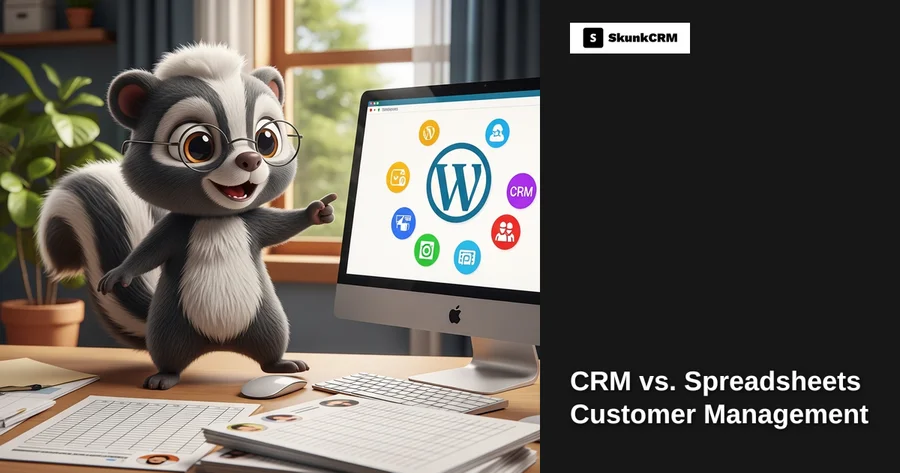
Your customer database is growing, sales are booming, and you’re juggling multiple tasks like a pro. But managing customer information efficiently can quickly become overwhelming. Have you ever wondered if there’s a better way to handle your customer management than just using spreadsheets? You’re not alone. Many small business owners struggle with deciding whether to stick with the tried-and-true spreadsheets or transition to a more modern solution like a WordPress CRM. Let’s dive into the key differences and benefits of each to see which might be the right fit for your business.
Understanding Customer Management
Effective customer management is crucial for small businesses aiming to build lasting relationships and drive repeat purchases. It’s not just about storing contact information; it’s about understanding customer needs, tracking interactions, and personalizing communication. Traditionally, many businesses have relied on spreadsheets for these tasks. They’re straightforward and familiar, making them an attractive option for startups and small teams. But as businesses expand, the limitations of spreadsheets become more apparent.
On the other hand, Customer Relationship Management (CRM) systems, particularly those integrated with WordPress, offer a more robust solution. CRMs are designed to centralize customer data, automate processes, and provide insights through analytics. They can significantly enhance efficiency by eliminating manual tasks and integrating with other tools you already use.
Free CRM Implementation Checklist
70% of CRM implementations fail. Don't be one of them. Get our 40+ point checklist covering all 5 implementation phases.
Get the Free ChecklistOverview of WordPress CRM and Spreadsheets
WordPress CRM platforms are extensions that turn your WordPress site into a powerful customer management tool. They integrate seamlessly with your existing website, making them easy to implement without a steep learning curve. CRMs like SkunkCRM offer features such as sales pipelines, email integration, and reporting, allowing businesses to consolidate their customer management efforts in one place.
Spreadsheets, on the other hand, are the classic choice for managing customer data. They’re versatile and accessible, with the ability to create custom fields, sort data, and apply filters. However, they require manual input and updates, which can be time-consuming and error-prone as your customer base grows.
Ease of Use
Getting Started with Spreadsheets
Spreadsheets are usually the first tool businesses turn to because they’re readily available and easy to set up. Most people are familiar with software like Microsoft Excel or Google Sheets, so there’s no need for additional training. You can start by creating a simple table with columns for customer names, contact information, purchase history, and notes.
However, while setting up a spreadsheet is straightforward, maintaining it can be labor-intensive. Every new customer or interaction requires manual entry, which increases the risk of errors, especially as your list grows longer and more complex.
WordPress CRM Setup
Setting up a WordPress CRM is often simpler than it sounds, especially for those already using WordPress for their business website. Most CRM plugins are designed to integrate seamlessly with your existing site, requiring just a few clicks to install. Once set up, you can import your existing data, configure settings to match your workflow, and start utilizing features like automated emails and customer segmentation.
Moreover, the intuitive interfaces of most WordPress CRMs mean you don’t need to be a tech whiz to get started. They’re designed with the user in mind, offering dashboards that provide a clear overview of your customer interactions and sales pipelines.
Scalability
Limitations of Spreadsheets
As your business starts to grow, the limitations of spreadsheets become more apparent. They’re great for small datasets but can quickly become unwieldy as the volume of information increases. The lack of automation means every update requires manual input, which is not only time-consuming but also increases the chance of data entry errors.
Expert Insight: “Spreadsheets can hinder growth due to their static nature. For scaling businesses, a dynamic CRM solution offers the flexibility needed for expansion.” – Jane Doe, CRM Specialist
WordPress CRM for Growing Businesses
A WordPress CRM is designed to grow with your business. Unlike spreadsheets, CRMs handle large volumes of data effortlessly and offer features that facilitate scalability. For example, as your customer base expands, a CRM can automate repetitive tasks like follow-up emails, freeing up time for more strategic activities. Additionally, with features like team collaboration and reporting, you get a clearer picture of your business’s performance and areas for improvement.
By comparing the ease of use and scalability of spreadsheets and WordPress CRMs, you can make an informed decision about which tool is best for your customer management needs. But there’s more to consider, such as the specific features and functionalities that each option offers. Let’s explore these in the next section.
Read more about CRM features on SkunkCRM and see how they can transform your business operations.
Time and Efficiency
Manual Processes in Spreadsheets
Imagine a busy Tuesday morning, and you’re sifting through endless rows in a spreadsheet, trying to update customer details after a recent email campaign. Each change requires a manual entry, and it’s easy to overlook something crucial. This kind of manual process isn’t just tedious—it’s a real time sink. When you’re juggling multiple roles in a small business, spending significant time updating spreadsheets means less time focusing on growing your business or engaging with customers.
Automated Workflows in WordPress CRM
Enter WordPress CRM, where tasks that took hours can be accomplished in minutes. Automation is a game-changer. With features like automated email follow-ups and integrated activity logging, CRM systems streamline repetitive tasks. For example, when a customer signs up for your newsletter, the system can automatically update their contact information and tag them for future campaigns. This not only reduces manual effort but significantly saves time, allowing you to focus on strategic tasks that drive growth.
Data Security and Accessibility
Security Risks with Spreadsheets
Spreadsheets, while convenient, often pose a significant security risk. They’re typically shared via email or cloud storage, where unauthorized access can lead to data breaches. It’s challenging to track who has access or to ensure that sensitive information isn’t accidentally shared. Plus, without proper encryption, sensitive customer data can be vulnerable to cyber threats.
Secure Data Handling with WordPress CRM
WordPress CRM systems offer enhanced security features that spreadsheets simply can’t match. These include secure user authentication and role-based access control, ensuring that only authorized personnel can view or edit sensitive customer data. Additionally, data backups and encryption protocols are standard, offering peace of mind that your customer information is safe. Accessibility is a breeze, too, with cloud-based solutions allowing you to securely access data from anywhere, anytime.
Cost Considerations
Cost Analysis of Spreadsheets
At first glance, spreadsheets might seem like the cheaper option. However, hidden costs can accumulate. Consider the time spent on manual updates, potential errors leading to lost sales, and the lack of integration with other tools which could boost productivity. Then there’s the cost of potential data breaches, which can be financially devastating.
Affordability of WordPress CRM
While a WordPress CRM involves an initial investment, the return on investment (ROI) can be substantial. By automating processes and improving customer management, CRMs help save time and reduce errors, ultimately increasing revenue. Many WordPress CRMs offer scalable pricing plans, meaning you only pay for what you need, making them cost-effective for businesses of all sizes. For an overview of pricing options, check out SkunkCRM’s pricing.
Practical Examples and Scenarios
Case Study: A Small Business Using Spreadsheets
Consider a small local bakery that was using spreadsheets to manage customer orders and preferences. Tracking customer interactions was cumbersome, and mistakes slipped through the cracks. As a result, they often missed out on repeat business, and customer satisfaction began to dip.
Case Study: Transitioning to WordPress CRM
The bakery decided to transition to a WordPress CRM. This change streamlined their workflows, allowing them to track interactions automatically and send personalized offers to loyal customers. They saw a 30% increase in repeat orders within six months, simply by having a more organized approach to customer management.
FAQ
Can I integrate my existing spreadsheet with WordPress CRM?
Absolutely! Most WordPress CRMs allow for smooth data migration. You can typically import your existing customer data via CSV files, ensuring that you don’t lose any valuable information during the transition. It’s a straightforward process that lets you hit the ground running with your new CRM system.
Is WordPress CRM suitable for non-tech-savvy users?
Yes, many WordPress CRM solutions are designed with user-friendliness in mind, providing intuitive interfaces and straightforward navigation. They often include tutorials and support to help you get started, making them accessible even if you’re not tech-savvy.
What happens if my business outgrows the WordPress CRM?
Most WordPress CRMs are built to scale with your business. As you expand, you can upgrade your plan to access more features and accommodate additional users. This flexibility ensures that the CRM grows with your needs, providing ongoing support for your business.
Are there any hidden costs with WordPress CRM?
Typically, pricing is transparent, but it’s essential to consider potential costs for additional features or increased data storage. Some CRMs might offer tiered pricing, so it’s worth reviewing which features are included at each level to avoid surprises.
Key Takeaways
- Efficiency: WordPress CRM automates tasks, saving time and reducing manual errors.
- Security: Offers robust data protection compared to spreadsheets.
- Cost-Effective: Provides a strong ROI with scalable pricing.
- User-Friendly: Designed for all users, including non-tech-savvy individuals.
- Scalable: Grows with your business, offering more features as needed.
Switching from spreadsheets to a WordPress CRM can transform how you manage customer relationships. It’s not just about the technology; it’s about the time and peace of mind you gain. With tools like SkunkCRM, you can streamline operations, boost efficiency, and ultimately enhance customer satisfaction. Whether you’re a small business owner or a freelancer, embracing a CRM can be a pivotal step towards sustainable growth and success.