
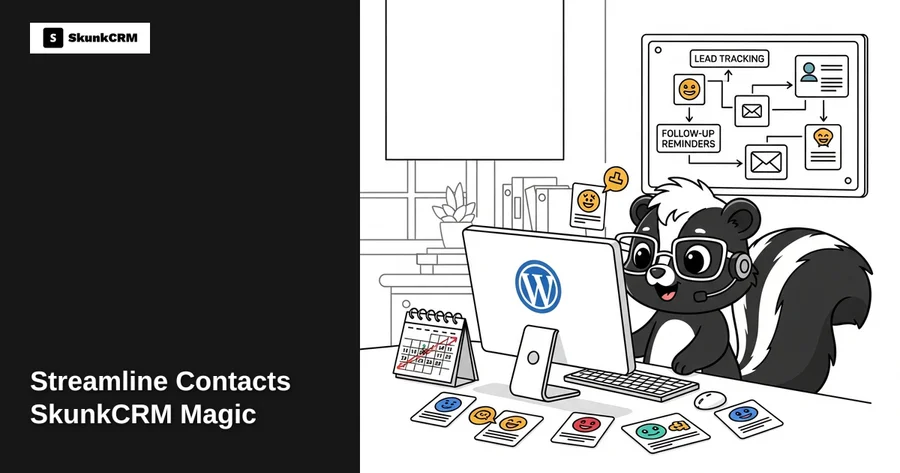
Have you ever had that moment when a potential client slips through the cracks simply because you forgot to follow up? It happens more often than you’d think, with small businesses losing about 23% of potential repeat customers due to lapses in communication. That’s where the magic of SkunkCRM comes into play. Imagine having a system that not only keeps track of all your contacts but also ensures you never miss out on a follow-up again. This isn’t just about managing contact details; it’s about transforming how you interact with every lead, customer, and partner.
Introduction to SkunkCRM
SkunkCRM is more than just a tool; it’s a robust solution designed to revolutionize the way you manage contacts and leads. While many CRM solutions offer basic contact management, SkunkCRM integrates seamlessly with WordPress, offering an enriched experience that caters specifically to the needs of small to medium-sized businesses. Whether you’re a freelancer or a growing company, SkunkCRM adapts to your workflow, ensuring that your contact management processes are both efficient and effective. This integration with WordPress means you can manage your CRM needs right alongside your content, making it easier than ever to keep everything in one place.
Key Features of SkunkCRM
Contact Organization
At the heart of any CRM system is the ability to organize contacts efficiently. SkunkCRM excels in this area by allowing users to categorize and tag contacts in a way that makes sense for their business. You can create custom tags to segment your contacts based on various criteria such as industry, purchase history, or engagement level. This feature is especially beneficial for businesses that deal with a large volume of contacts and need a straightforward way to manage them. For example, a moving company using SkunkCRM can easily segment clients based on the type of move, ensuring that they provide personalized follow-ups and services tailored to each client’s needs. By organizing contacts effectively, you’re setting a solid foundation for successful customer relationship management.
Free CRM Implementation Checklist
70% of CRM implementations fail. Don't be one of them. Get our 40+ point checklist covering all 5 implementation phases.
Get the Free ChecklistLead Tracking
Missing out on potential sales opportunities can be a major setback for any business. SkunkCRM’s lead tracking functionality ensures that no lead goes unnoticed. By providing a comprehensive view of your sales pipeline, you can track where each lead is in the sales process and what actions are needed to move them closer to a sale. This feature is particularly useful for sales teams who need to prioritize their efforts and focus on leads that are most likely to convert. SkunkCRM’s interface allows you to visualize your leads in a Kanban-style board, making it easy to see at a glance which leads need attention. With this level of insight, you can make data-driven decisions that help increase your conversion rates.
Email Follow-ups
Effective communication is key to nurturing relationships and closing deals. SkunkCRM automates and personalizes your email communications, ensuring that your contacts receive timely and relevant information. The system allows you to set up automated email sequences for different stages of the customer journey, from initial contact to post-sale follow-ups. This not only saves you time but also ensures consistency in your messaging. Imagine being able to send personalized thank-you emails immediately after a purchase or follow-up emails a week after a consultation without lifting a finger. With SkunkCRM, you can also track email open rates and responses, giving you valuable insights into your communication strategies.
Pro Tip: Customize your email templates within SkunkCRM to reflect your brand voice. Consistency in tone and style can significantly enhance how your communications are received by your clients.
Setting Up SkunkCRM on Your WordPress Site
Integrating SkunkCRM with your WordPress site is a straightforward process that doesn’t require extensive technical knowledge. Here’s a simple guide to get you started:
- Install the SkunkCRM Plugin: Start by downloading the SkunkCRM plugin from the WordPress plugin repository. Once installed, activate the plugin to begin setup.
- Configure Basic Settings: Upon activation, you’ll be prompted to configure the basic settings. This includes setting up your business’s information and preferences.
- Import Contacts: If you have existing contacts, you can import them into SkunkCRM via a CSV file. This ensures you have all your data in one place from the get-go.
- Set Up Email Integration: Connect your email service provider to SkunkCRM to start automating your email follow-ups. This step is crucial for leveraging the full power of the CRM.
- Customize Your Dashboard: Tailor the dashboard to your needs by adding or removing widgets and setting up custom fields to capture the information most relevant to your business.
With these steps, you’re well on your way to a more organized and efficient contact management system. For more detailed information on SkunkCRM’s capabilities, you might want to check out their CRM features.
In the next part of this blog post, we’ll explore practical examples of how businesses can utilize SkunkCRM to enhance client relationships and optimize sales processes. Stay tuned!
Integrating SkunkCRM with Other Tools
Connecting SkunkCRM with your existing tools can significantly enhance productivity and streamline workflows. Many businesses rely on a suite of digital tools, and ensuring they work together seamlessly is crucial.
Email Marketing Tools: One of the most effective integrations is with email marketing platforms. By connecting SkunkCRM to your email tool, you can automate follow-ups, segment contacts based on their interactions, and track email performance directly within your CRM. For example, if you’re using Mailchimp, you can sync contact lists to ensure you’re always targeting the right audience with your campaigns.
Calendar Apps: Integrating SkunkCRM with calendar applications like Google Calendar can keep your schedule organized. By syncing your CRM with your calendar, you can seamlessly manage your appointments, deadlines, and reminders. This way, you won’t miss critical meetings or follow-up opportunities, keeping your customer interactions timely and efficient.
Task Management Software: Tools like Trello or Asana can be integrated to help manage tasks and projects related to your contacts. This integration ensures that all team members are on the same page and can track progress, whether it’s a sales lead you’re nurturing or a customer service issue that needs resolving.
By leveraging these integrations, you’re not just using SkunkCRM as a standalone tool but as a central hub for your business operations, enhancing overall efficiency.
Common Challenges and Solutions
Like any software, SkunkCRM users may encounter some challenges. Here are a few common issues and how to tackle them:
Data Import Issues: Sometimes, importing contacts from a CSV file can be tricky. Ensure your CSV is formatted correctly and matches the fields in SkunkCRM. If you encounter errors, double-check for duplicates or inconsistencies in your data formatting.
Email Integration Problems: If you’re having trouble integrating your email, check if your email settings and permissions are correctly configured. It might be useful to consult the support documentation or reach out to support for assistance.
User Adoption: Getting your team on board with new software can be challenging. Conduct training sessions and highlight the benefits of SkunkCRM, such as improved contact management and streamlined workflows, to encourage adoption.
Expert Tip: Regularly back up your data and encourage team members to provide feedback on their SkunkCRM experience. This will help you identify areas for improvement and enhance user satisfaction.
FAQs
How does SkunkCRM differ from other CRM plugins?
SkunkCRM offers a unique blend of simplicity and power, making it ideal for small to medium-sized businesses. Unlike some CRM plugins that may feel overwhelming, SkunkCRM focuses on user-friendly contact management with necessary features like notes, tags, and activity logging. For more advanced needs, the Pro version adds essential tools like sales pipeline management and team collaboration, which are not always available in competitor plugins.
Can I import existing contacts into SkunkCRM?
Absolutely! SkunkCRM allows you to import contacts via CSV files easily. Just ensure your file is formatted correctly to match the CRM’s fields. This feature is especially beneficial for businesses transitioning from another system and needing to move their existing contact database into SkunkCRM swiftly.
Is SkunkCRM suitable for large organizations?
While SkunkCRM is primarily designed with small to medium-sized businesses in mind, its robust features can scale with growing businesses. Larger organizations may find the Pro version’s sales pipeline and team collaboration features particularly useful. However, it’s always wise to evaluate if it meets specific enterprise-level needs.
How secure is the data within SkunkCRM?
Security is a top priority for SkunkCRM. It employs industry-standard encryption and security protocols to protect your data. Regular updates and security patches are released to ensure your information remains secure. Additionally, implementing best practices like strong password policies can further enhance your data protection.
What kind of support does SkunkCRM offer?
SkunkCRM provides comprehensive support resources, including detailed documentation and a responsive support team ready to assist with any issues. Whether you’re troubleshooting a technical problem or need guidance on using specific features, SkunkCRM’s support ensures you’re never left to navigate challenges alone.
Key Takeaways
- User-Friendly Interface: SkunkCRM offers an intuitive platform ideal for businesses seeking simplicity without sacrificing functionality.
- Essential Free Features: Manage contacts, tags, and notes effortlessly with the free version.
- Advanced Pro Features: Unlock sales pipeline management, email integration, and team collaboration with the Pro version.
- Seamless Integrations: Enhance productivity by integrating SkunkCRM with email tools, calendars, and task management software.
- Strong Support System: Access a wealth of resources and responsive support to tackle any challenges.
Choosing the right CRM can transform how you manage customer relationships. By adopting SkunkCRM, you’re opting for a solution that balances simplicity with robust capabilities. Whether you’re a freelancer looking to keep track of clients or a growing business ready to streamline operations, SkunkCRM provides the tools and support necessary to succeed. Don’t wait to experience the benefits—start using SkunkCRM to elevate your customer management strategy today!
