
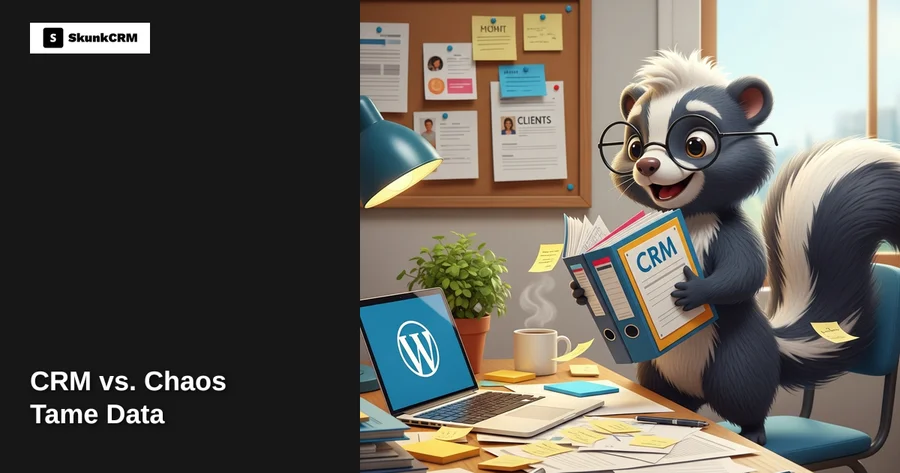
Managing client data without a CRM often feels like trying to keep track of a dozen spinning plates at once. Imagine running a small retail business where every customer order, inquiry, and follow-up sits in a different spreadsheet or is scribbled on a Post-It note. It’s no surprise that 54% of businesses report losing potential sales due to disorganized data. This chaos can lead to lost opportunities, missed follow-ups, and a pile-up of inefficiencies that slow you down. Enter the CRM, or Customer Relationship Management system, a powerful tool designed to streamline and transform how you handle client information. For small businesses, a CRM can be a game-changer, turning what feels like digital clutter into a well-organized library of customer interactions. In the following sections, we’ll explore how a CRM can help tame your client data and bring order to your business operations.
The Chaos of Manual Client Management
Picture this: a small retail business owner, Sarah, is juggling customer orders, inquiries, and follow-ups. Her method? A combination of Excel spreadsheets, scattered emails, and sticky notes plastered around her desk. It’s a system that’s all too familiar to many small business owners and freelancers. But it’s also one that’s fraught with problems.
When you manage client data manually, the risk of losing crucial information is high. Did you respond to that client inquiry? Have you followed up on last month’s order? These questions can become a daily source of stress. The inefficiency of constantly searching for information and the potential for human error can lead to missed opportunities and unhappy customers.
Free CRM Implementation Checklist
70% of CRM implementations fail. Don't be one of them. Get our 40+ point checklist covering all 5 implementation phases.
Get the Free ChecklistAn example from real life: Sarah, a small retail business owner, found herself repeatedly losing track of client orders. Once, she even double-booked a shipment, sending two orders to the same customer. Without a centralized system to track interactions and update client information, these kinds of mishaps are common. The result? Frustrated customers and a stressed-out business owner.
What is a CRM?
A CRM, or Customer Relationship Management system, is like a digital Rolodex with superpowers. It’s a software solution that helps businesses manage and analyze customer interactions and data throughout the customer lifecycle. By centralizing all client information, a CRM provides an organized and accessible way to track interactions, manage sales pipelines, and streamline communication.
Think of it this way: if your business is a ship, client data is the cargo. A CRM acts as the captain, steering your ship toward smoother waters by ensuring that every piece of cargo is accounted for and easily accessible. It organizes your client data, from contact details and purchase history to email interactions and follow-up reminders, in one place.
In essence, a CRM helps you get a clear picture of your customer relationships, allowing you to nurture leads, improve customer service, and ultimately boost sales. You can learn more about the various CRM features that can help enhance your client management.
Benefits of Using a WordPress CRM
Using a CRM integrated with WordPress can be particularly beneficial for businesses with existing WordPress sites. One of the main advantages is the ease of integration. Instead of juggling multiple platforms, a WordPress CRM brings everything under one roof, allowing for seamless management of client data directly from your site.
- Centralized Client Information: All your client data is in one place, offering quick and easy access whenever you need it. This setup saves valuable time that would otherwise be spent searching through disparate systems.
- Automated Follow-Up Reminders: One of the biggest challenges in client management is keeping up with follow-ups. A CRM can automate reminders, ensuring you never miss an important client interaction again.
- Task Management: With built-in task management features, you can assign and track tasks related to client interactions, further streamlining your workflow.
Consider a freelance designer who juggles multiple projects at once. By using a CRM, they can streamline client communications, ensuring that each project is on track and each client feels valued. No more missed emails or forgotten deadlines; the CRM helps keep everything organized and timely.
“A well-implemented CRM can increase sales conversion rates by up to 30%.” – CRM industry report
By integrating a CRM with your WordPress site, you’re not just managing client data; you’re enhancing the overall experience for your business and your clients. You can explore options and find the best fit for your needs by checking out SkunkCRM.
Key Features of SkunkCRM
SkunkCRM is packed with features that turn chaos into order, starting with contact management and customer segmentation. Imagine you’re a local bakery juggling catering orders and keeping track of customer preferences. SkunkCRM can help you tag and segment your customers, ensuring you remember who loves gluten-free options or who always orders a dozen blueberry muffins.
Another standout feature is the ability to set up automated workflows and reminders. This means you can automate follow-up emails or reminders for upcoming appointments, reducing the risk of missing important client interactions. The customizable dashboards let you track key metrics at a glance, so you can quickly see how many orders are pending or which products are flying off the shelves.
How a CRM Saves Time and Money
A CRM like SkunkCRM can be a game-changer when it comes to efficiency in managing client interactions. By centralizing all client information, you reduce the time spent searching for details across multiple platforms or files. Plus, automation reduces human error. Take a small consultancy, for example. By eliminating manual data entry, they saved hours each week, which could be redirected towards more strategic tasks.
Expert Insight: “Automating repetitive tasks not only saves time but also ensures consistency across all client interactions,” says a CRM strategist.
Addressing Common Concerns
Is a CRM too complex for small businesses?
Not at all. SkunkCRM is designed with simplicity in mind, making it accessible for businesses of all sizes. The intuitive interface means you don’t need to be a tech guru to get started.
Can I afford a CRM?
Absolutely. With flexible pricing options, including a free tier, SkunkCRM offers solutions that fit different budgets. Check out our pricing for more details.
How secure is my client data with a CRM?
Security is a top priority. SkunkCRM employs robust security measures to ensure your data is protected, giving you peace of mind when managing sensitive client information.
Practical Steps to Implement a CRM
Start by assessing your current client management process. Identify the gaps and how a CRM could fill them. When choosing the right CRM, consider your business size, budget, and required features. Once you’ve chosen SkunkCRM, setting it up on your WordPress site is straightforward.
Picture a fictional business, “Green Thumb Landscaping,” looking to streamline client communications. They begin by importing their client list into SkunkCRM and configuring an automated follow-up sequence for recent quotes. Within days, they notice improved response rates and clearer scheduling.
Real-Life Success Stories
Case Study: A Local Service Provider
A local plumbing service improved client satisfaction by using SkunkCRM’s activity logging feature. They could track client interactions in real-time, leading to faster response times and more personalized service.
Case Study: An Online Seller
An e-commerce store saw a 30% increase in repeat business after using SkunkCRM to manage customer data efficiently. By segmenting their clients and targeting promotions effectively, they enhanced customer engagement and loyalty.
FAQ
What is the cost of implementing a CRM?
The cost varies based on your needs and the features you choose. SkunkCRM offers a free version with essential features. For more advanced functionalities, explore the pricing to find a plan that suits your budget.
How long does it take to see results?
While results can vary, many businesses notice improvements in efficiency and client satisfaction within a few weeks. Implementing automated processes and organizing client data often leads to quick wins.
Do I need technical skills to use a CRM?
No technical skills are necessary for using SkunkCRM. The platform is user-friendly, with straightforward navigation and helpful support resources to guide you through any questions.
What happens to my data if I stop using the CRM?
If you decide to stop using SkunkCRM, you can easily export your data to ensure you retain your client information. This ensures that your data remains in your control, no matter what.
Key Takeaways
- Centralize Client Data: Easily manage and access all client information in one place.
- Enhance Efficiency: Save time with automated workflows and reduce errors.
- Affordable Options: Flexible pricing makes SkunkCRM accessible for businesses of all sizes.
- User-Friendly Interface: Simplifies CRM adoption for non-technical users.
- Proven Success: Real-life examples highlight tangible benefits of CRM implementation.
A CRM doesn’t just organize client data; it transforms how you interact with customers, leading to better relationships and business growth. SkunkCRM, with its range of features from contact management to sales pipeline tracking, is an excellent choice for businesses looking to tame their client chaos. By implementing a CRM, you’re setting the foundation for a more efficient, personalized approach to client management. Discover more about how SkunkCRM can support your business by visiting SkunkCRM.