Most solopreneurs find themselves juggling a multitude of tasks, from managing client relationships to handling administrative duties. It’s no wonder that 42% of small business owners feel overwhelmed by their workload, according to a recent survey. This time crunch often leads to the question: how can the efficiency of managing a business be improved? For many, the answer lies in choosing between a Customer Relationship Management (CRM) tool and a DIY system. Both options have their merits, but the choice depends on your specific needs and preferences.
Let’s explore these two paths. CRM tools are designed to automate and streamline various aspects of client management, offering a structured approach to handling customer interactions. On the other hand, DIY systems provide a more hands-on, customizable experience, often relying on spreadsheets and manual processes. Understanding the differences between these approaches can help you make an informed decision that aligns with your business goals.
Understanding CRM Tools
What is a CRM Tool?
A CRM tool is a software solution that helps businesses manage their interactions with current and potential customers. Its primary functions include organizing customer data, tracking customer interactions, and automating various tasks such as follow-ups and reporting. For solopreneurs, CRMs can be a game-changer, simplifying the process of managing client relationships.
Free CRM Implementation Checklist
70% of CRM implementations fail. Don't be one of them. Get our 40+ point checklist covering all 5 implementation phases.
Get the Free ChecklistBenefits for Solopreneurs
For those running a business solo, a CRM offers significant advantages. Automation is a major benefit, allowing you to schedule follow-ups, send automated emails, and keep track of client interactions without manual effort. This streamlining can save you hours each week, freeing up time for other critical tasks. Additionally, having a centralized database of customer information ensures that no interaction falls through the cracks.
Practical Scenario: Using a CRM
Imagine you’re a freelance graphic designer managing multiple client projects. A CRM can help you automate follow-ups, ensuring you never miss a chance to check in with a client or upsell your services. You can also track your sales pipeline, seeing at a glance which projects are nearing completion and which require more attention. This level of organization can be crucial when you’re balancing numerous responsibilities.
Exploring DIY Systems
What are DIY Systems?
DIY systems are typically a patchwork of tools, such as spreadsheets for tracking sales and tasks, manual processes for follow-ups, and perhaps a basic WordPress plugin for managing client information. While not as streamlined as a CRM, these systems offer flexibility and can be customized to fit specific needs.
Flexibility and Customization
The biggest advantage of a DIY system is its flexibility. You can tailor your processes exactly to your business model, adjusting on the fly as your needs change. If you’re tech-savvy, you might enjoy the challenge of creating a bespoke solution that perfectly fits your workflow. However, this customization often comes at the cost of time and effort.
Practical Scenario: Managing with DIY
Consider a solopreneur running a small digital marketing agency. They might use a spreadsheet to track client interactions and deadlines, manually updating it each day. Email follow-ups are done through templates in their email client, requiring personal oversight to ensure timeliness. While this method allows for complete control, it also demands constant attention to detail and can be prone to errors.
Comparing Efficiency: CRM vs. DIY
Time Management
When it comes to time management, CRM tools have a clear edge. By automating repetitive tasks, they allow solopreneurs to focus on more strategic aspects of their business. In contrast, DIY systems require ongoing manual input, which can be time-consuming and lead to burnout.
Scalability
As your business grows, scalability becomes crucial. CRMs are designed to handle an increasing volume of data and interactions seamlessly. They can easily accommodate new clients and projects without requiring a complete overhaul. DIY systems, however, might struggle under the weight of expansion, necessitating frequent updates and adjustments.
Data Accuracy
Data accuracy is another area where CRMs shine. Automated systems reduce the risk of human error, ensuring that your client information is always correct and up-to-date. In contrast, DIY systems rely heavily on manual data entry, which is more susceptible to errors that can lead to miscommunications or lost opportunities.
“Efficiency is not about working harder, but smarter. A CRM can be the difference between chaos and clarity.”
For more insights on how CRM tools can benefit specific industries, check out our comprehensive CRM features.
Stay tuned for the second half of this post, where we’ll delve deeper into cost considerations and user experiences with each system.
Cost Considerations for Solopreneurs
Breaking Down CRM Costs
CRM tools often come with a range of subscription fees, tailored to different needs and budgets. Basic plans can start as low as $10 per month, offering essential features like contact management and email integration. As you scale, the costs can increase with advanced features such as sales pipelines and team collaboration. For example, SkunkCRM provides a free tier with contact management and CSV import/export, while its Pro plan includes sales pipeline and reporting features.
Hidden Costs of DIY Systems
While DIY systems might seem cost-effective initially, they often carry hidden costs that can impact your productivity. The time investment in setting up and maintaining a DIY system can be significant. Moreover, potential data entry errors can result in missed opportunities or customer dissatisfaction. The lack of automation means you’re likely to spend more time on routine tasks, which could otherwise be streamlined with a CRM.
Making the Right Choice
Criteria for Choosing
When deciding between a CRM and a DIY system, consider your business size, growth ambitions, and specific needs. If your business is small and you’re handling a manageable number of clients, a DIY system might suffice temporarily. However, if you plan to scale or need features like sales tracking or team collaboration, a CRM will likely be more beneficial.
Decision-Making Framework
Here’s a simple checklist to help you decide:
- Identify your business goals: Are you focused on growth or maintaining your current client base?
- Assess your time: How much time can you realistically dedicate to managing customer data?
- Evaluate your budget: What are you willing to spend on CRM tools?
- Plan for the future: Do you anticipate expanding your team or services?
- Consider integration needs: Will you need to integrate with tools like email or calendars?
Practical Examples and Case Studies
Solopreneur Success Stories
Consider Jane, a freelance graphic designer who initially managed her clients via spreadsheets. Transitioning to a CRM like SkunkCRM, she found that her follow-up efficiency improved by 40%, and she was able to keep track of project deadlines more effectively. The tool’s email integration allowed her to communicate seamlessly with clients, leading to a 25% increase in repeat business.
A Day in the Life: CRM vs. DIY
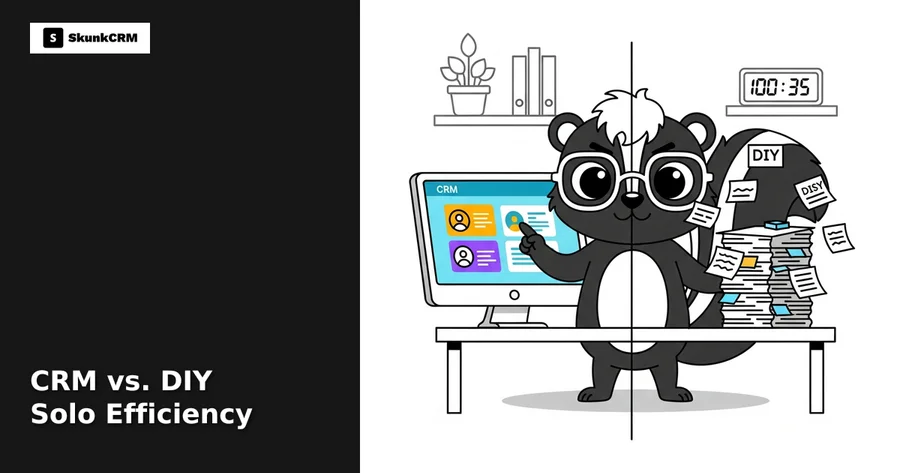
Let’s compare two solopreneurs: John uses a DIY system and Susan uses a CRM. John’s day involves manually updating spreadsheets, sending follow-ups, and managing reminders. This often leads to errors and missed deadlines. Susan, on the other hand, uses SkunkCRM to automate follow-ups, sync her calendar, and track sales opportunities, freeing up her time for strategic planning and client engagement.
Insight: “Automating repetitive tasks with a CRM can save solopreneurs up to 10 hours a week.”
FAQs
What are the main differences between CRM and DIY systems?
CRMs offer structured data management, automation, and integration capabilities that DIY systems lack. While DIY systems may require manual data entry and management, CRMs streamline processes, reducing human error and enhancing efficiency.
Can I start with a DIY system and switch to CRM later?
Absolutely! Many solopreneurs begin with DIY systems to save costs. As their business grows, transitioning to a CRM like SkunkCRM is a natural step to handle increased data and client interactions efficiently.
Is it possible to integrate a DIY system with a CRM?
Yes, integration is possible but can be complex. Many CRMs, including SkunkCRM, allow for CSV imports, making it easier to transfer data from spreadsheets. However, real-time integration may require additional tools or custom solutions.
What are the common pitfalls of using DIY systems?
The main pitfalls include time-consuming data entry, higher risk of errors, and lack of automation. These can lead to inefficiencies and potentially lost business opportunities, especially as your client base grows.
How secure are CRM tools compared to DIY systems?
CRM tools typically offer robust security measures, including data encryption and regular backups, which are often superior to DIY systems. This ensures your client data is safe from breaches and losses, giving you peace of mind.
Key Takeaways
- CRMs automate and streamline client management, saving time and reducing errors.
- DIY systems can be cost-effective initially but may lead to inefficiencies as your business grows.
- Choosing the right system depends on your business goals, size, and growth plans.
- Transitioning from DIY to CRM is feasible and often beneficial as you scale.
- SkunkCRM offers a range of features tailored for solopreneurs looking to enhance efficiency.
With the right tools, solopreneurs can streamline their operations and focus on what truly matters—growing their business and fostering client relationships. SkunkCRM provides a practical solution with features designed to empower solo business owners. By evaluating your needs and considering future growth, you can make an informed decision that propels your business forward. Whether you’re initially opting for a DIY approach or ready to dive into a CRM, the key is to remain adaptable and open to change.