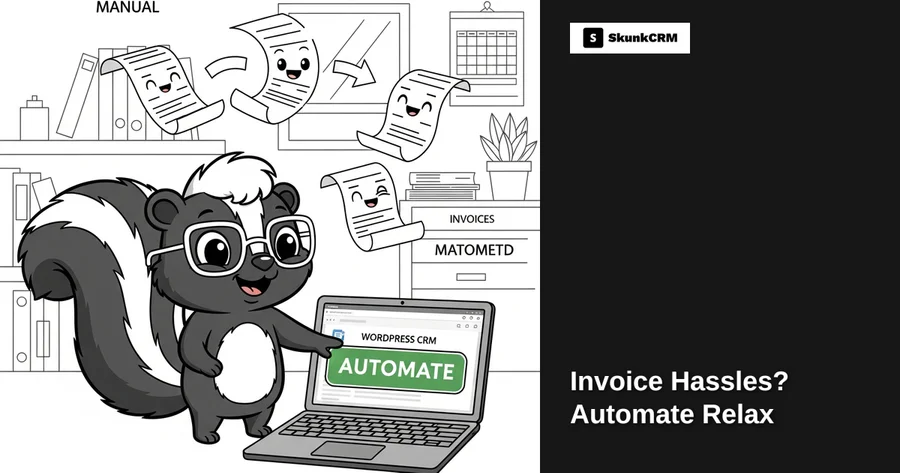
Invoices are often the bane of any freelancer’s existence. Imagine this: it’s the end of the month, and you’re drowning in a sea of invoices, each one demanding your attention. You’re not alone. A recent survey found that 47% of small businesses struggle with invoicing, a task that eats up valuable time and resources. The ripple effect can be costly, affecting cash flow and client relationships. But what if you could automate that entire process and spend more time doing what you love? Let’s dive into how automation can transform your invoicing woes into a seamless, stress-free experience.
Understanding the Invoice Hassles
The Common Challenges
Manual invoicing is notorious for being repetitive and time-consuming. Freelancers and small business owners often find themselves spending hours each month generating invoices, verifying details, and chasing payments. It’s not just about the time spent creating an invoice; it’s about the constant back-and-forth communication, correcting errors, and the inevitable human oversight. Mistakes in invoices can lead to delayed payments, dissatisfied clients, and a blow to your professional reputation. The grind of manual invoicing can feel like a never-ending cycle, sapping energy and resources that could be better spent elsewhere.
Impact on Freelancers
For freelancers, the impact of these challenges can be particularly severe. With cash flow being the lifeline of any solo venture, delays in invoicing can mean delays in payment. This can create a domino effect on your financial stability and project execution. Moreover, the time consumed in managing invoices takes away from billable hours, reducing your overall efficiency. When you’re juggling multiple clients, every minute counts, and inefficient invoicing can be detrimental to your productivity and peace of mind.
Free CRM Implementation Checklist
70% of CRM implementations fail. Don't be one of them. Get our 40+ point checklist covering all 5 implementation phases.
Get the Free ChecklistBenefits of Automating Invoicing
Saving Time and Reducing Errors
Automation can be a game-changer when it comes to invoicing. By automating your invoicing processes, you not only save time but also drastically reduce the chance of errors. Automated systems ensure that the data is consistent and accurate, eliminating the need for manual entry and the potential for mistakes. This efficiency allows you to focus on your core competencies, knowing that your invoicing is handled with precision.
Improving Client Relationships
Timely invoicing is crucial to maintaining healthy client relationships. Automation ensures that invoices are sent out promptly, reflecting a level of professionalism and reliability that clients appreciate. When clients receive their invoices on time, it fosters trust and lays the foundation for a long-lasting professional relationship. After all, a happy client is more likely to return for future projects and recommend your services to others.
Setting Up Automated Invoicing in WordPress
Choosing the Right CRM Plugin
Selecting the right CRM plugin is pivotal for freelancers looking to automate their invoicing. Key features to look for include seamless integration with your current systems, user-friendly interfaces, and comprehensive support. For instance, a CRM like SkunkCRM offers features perfect for freelancers, such as sales pipeline management and team collaboration, which can enhance your business operations beyond just invoicing. Explore SkunkCRM’s features to see if it’s the right fit for your needs.
Step-by-Step Setup
Setting up automated invoicing might sound daunting, but it’s more straightforward than you might think. Here’s a simple guide to get you started with SkunkCRM:
- Install the Plugin: Begin by installing the SkunkCRM plugin on your WordPress site.
- Configure Settings: Navigate through the setup process to configure your invoicing preferences, such as payment terms and client details.
- Template Creation: Set up invoice templates to ensure consistency and professionalism in your communications.
- Automate: Use the automation features to schedule recurring invoices or set up triggers for specific billing events.
- Test: Always test the process with a few invoices to ensure everything runs smoothly before going fully automated.
Pro Tip: Regularly review your automated processes to ensure they remain aligned with your business goals and client expectations. Adjust as necessary to accommodate changes in your offerings or client base.
In the next part of this series, we’ll explore practical examples of how automation can be applied to recurring billing for retainer clients and project-based invoicing. By the end, you’ll be ready to automate and relax, knowing your invoicing is in good hands.
Integrating Payment Gateways
When it comes to automated invoicing, choosing the right payment gateway integrations can make or break your workflow. Not only do they streamline the payment process, but they also ensure that you get paid faster and more securely.
Popular Payment Options
Integrating with popular payment gateways like Stripe and PayPal can significantly enhance your invoicing process. Stripe is renowned for its seamless integration and ability to handle various payment methods, including credit cards and digital wallets. Its robust API allows for customization to suit your specific business needs. On the other hand, PayPal offers the advantage of a broad global reach, making it ideal for businesses that deal with international clients. With options to accept payments in different currencies, it caters to a diverse clientele. Other gateways like Square and Authorize.Net also offer reliable services, ensuring that your payment processes are efficient and secure.
Ensuring Secure Transactions
Security is non-negotiable when it comes to payment processing. A breach could not only lead to financial loss but also damage your reputation. Ensure that your chosen payment gateways comply with PCI DSS (Payment Card Industry Data Security Standard) regulations. This compliance ensures that the transaction data is encrypted and handled securely. Additionally, implementing two-factor authentication and regular security checks can further safeguard your transactions.
Monitoring and Reporting
Once your invoices are sent out, keeping track of their status is crucial. This not only helps in maintaining cash flow but also aids in financial planning.
Tracking Paid and Unpaid Invoices
Most CRM systems, including SkunkCRM, offer features to track the status of your invoices. You can easily see which invoices are pending, paid, or overdue. This visibility allows you to follow up on unpaid invoices promptly, reducing the chances of delayed payments. A simple glance at your dashboard can tell you everything you need to know about your current financial standing.
Generating Financial Reports
Generated reports are invaluable during tax season or when analyzing your financial health. With SkunkCRM’s reporting features, you can create detailed reports that summarize your income, expenses, and outstanding invoices. These reports can be customized to include specific data points relevant to your business. Having these insights at your fingertips makes it easier to make informed financial decisions.
Troubleshooting Common Issues
Even with automation, issues can arise. Knowing how to handle them swiftly will keep your invoicing process running smoothly.
Failed Transactions
Failed transactions can occur for various reasons, such as insufficient funds or incorrect payment information. When this happens, most payment gateways will notify you with specific error codes. It’s important to communicate with your client promptly to resolve the issue. Providing alternative payment methods or setting up a retry schedule can often remedy the situation.
Client Disputes
Invoicing disputes can be a headache, but they’re not uncommon. The key is to have a clear and thorough invoicing process from the start. Ensure that all your invoices are detailed and transparent, with an easy-to-understand breakdown of charges. When disputes arise, approach the situation calmly and professionally. Listening to the client’s concerns and providing evidence of the agreed terms often leads to a quick resolution.
FAQs
Is automated invoicing suitable for small projects?
Absolutely. Automated invoicing is beneficial for projects of all sizes. For small projects, it reduces the time spent on manual invoicing, allowing you to focus on delivering quality work. It also ensures that you don’t overlook any payments, which is crucial for maintaining cash flow.
How secure is payment information?
Security is a top priority for CRM systems that handle payment information. They use encryption and PCI DSS compliance to protect sensitive data. Additionally, payment gateways like Stripe and PayPal have their own security measures in place, ensuring that your client’s payment information remains secure.
Can I customize invoice templates?
Yes, most CRM systems, including SkunkCRM, offer customizable invoice templates. You can add your logo, change color schemes, and include personalized messages. This not only makes your invoices look professional but also aligns them with your brand identity.
What happens if a client doesn’t pay?
If a client fails to pay, the first step is to send a polite reminder. SkunkCRM allows you to automate these reminders, ensuring timely follow-ups. If the issue persists, consider setting up a formal payment plan or, as a last resort, involving a collections agency.
Key Takeaways
- Automating invoicing saves time and reduces errors.
- Integrating with payment gateways like Stripe and PayPal streamlines the payment process.
- Security in payment processing is crucial for protecting sensitive information.
- Tracking invoice statuses helps maintain steady cash flow.
- Customizable reports aid in financial planning and analysis.
Automated invoicing isn’t just a trend; it’s a necessity for freelancers and small business owners looking to streamline their processes. By integrating reliable payment gateways and leveraging the reporting capabilities of SkunkCRM, you can ensure that your invoicing process is both efficient and secure. Not only does this save time, but it also reduces the stress associated with manual invoicing. If you’re ready to take control of your invoicing and focus more on growing your business, SkunkCRM offers the tools you need to make that happen.