
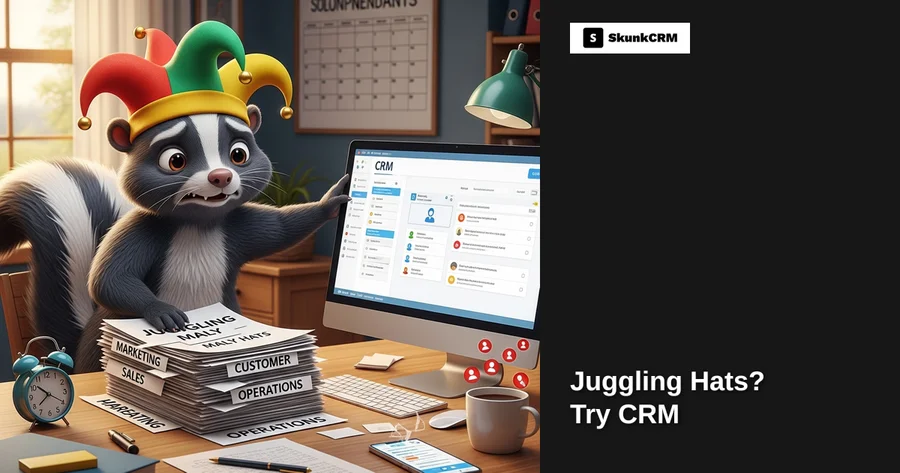
Most small business owners lose 23% of potential repeat customers simply because they forget to follow up. Imagine the frustration of realizing that a potential deal slipped through the cracks, not because your product or service wasn’t up to par, but because you forgot to send a quick email or make a call. This is the reality for many solopreneurs who juggle multiple roles daily. Balancing marketing, sales, customer support, and operations is no small feat, yet this is the norm for countless small business owners.
The Solopreneur’s Dilemma
Wearing Many Hats
As a solopreneur, you’re not just the CEO of your business—you’re also the marketing manager, sales rep, customer support agent, and operations leader. Each day, you might find yourself shifting from crafting a marketing email to handling customer queries, then jumping into sales negotiations, only to end the day scrutinizing operational efficiencies. It’s a challenging balancing act that requires agility and a sharp focus on priorities.
Challenges Faced
However, this constant gear-shifting comes with its own set of challenges. Time is a finite resource, and the multitude of tasks can lead to a significant risk of errors. You might miss an important email, forget to log a customer interaction, or overlook a follow-up task. These small slip-ups can result in missed opportunities and dissatisfied clients. Not to mention, the mental toll of managing these roles can lead to burnout, further impacting your business performance.
Free CRM Implementation Checklist
70% of CRM implementations fail. Don't be one of them. Get our 40+ point checklist covering all 5 implementation phases.
Get the Free ChecklistWhat is CRM and How It Can Help
CRM Defined
A Customer Relationship Management (CRM) system is designed to streamline and enhance your interactions with clients. It’s a tool that helps you manage all your company’s relationships and interactions with current and potential customers. The main goal? Improve business relationships, aiding in business growth. At its core, CRM software consolidates customer information into one central platform, making it accessible and actionable.
Benefits for Solopreneurs
For solopreneurs, the benefits of a CRM system are substantial. First, it centralizes all client information, so you’re never scrambling to find details buried in a sea of emails or scattered across notebooks. CRM can automate mundane tasks such as sending follow-up emails or setting reminders for meetings, freeing up your time to focus on more strategic activities. Furthermore, by enhancing your customer interactions through timely and personalized communication, you can significantly improve customer satisfaction and retention.
A CRM isn’t just a tool; it’s a relief from the chaos of wearing multiple hats. By having all your client interactions in one place, your ability to engage effectively and efficiently with your customers improves dramatically. If you’re ready to explore how a CRM can transform your business, check out more about the features SkunkCRM offers on our features page.
Key CRM Features for Solopreneurs
Contact Management
One of the essential features of any CRM system is contact management. This feature allows you to easily store and retrieve client information. Imagine having all your client details, interaction history, and notes at your fingertips. No more digging through emails or spreadsheets. With organized client data, you can personalize interactions, ensuring you never miss a beat.
Task Automation
Task automation is a lifesaver for those repetitive, time-consuming tasks that can clutter your day. Automate processes such as follow-ups, invoicing, and even some elements of customer support. This not only saves time but also reduces the risk of human error. By automating these tasks, you can focus on what truly matters—growing your business.
Sales Pipeline Management
Managing your sales pipeline effectively is crucial to converting leads into customers. A CRM provides visualization tools like Kanban boards that help you track where each lead is in the sales process. You can easily identify which leads need attention and which are ready to close. This kind of clarity is invaluable for any solopreneur looking to optimize their sales strategy.
Email Marketing Integration
Integrating email marketing with your CRM allows you to streamline your marketing campaigns. You can send personalized emails, track open rates, and manage contact lists all from one place. This integration ensures your marketing efforts are both efficient and effective, giving you more time to focus on delivering exceptional service.
By incorporating these CRM features into your daily operations, you’re not just managing your business—you’re setting it up for sustained success. For more insights on how CRM can be a game-changer for your business, explore our CRM features page.
Implementing CRM: A Step-by-Step Approach
Choosing the Right CRM
For solopreneurs, choosing the right CRM is like picking the perfect tool for the job. You need something that fits your unique needs without overwhelming you. Consider factors such as ease of use, cost, and scalability. SkunkCRM offers a free tier that includes essential features like contact management and notes, ideal for those just starting. Think about your future needs, too. If you plan to grow, a CRM with a robust professional package might be worth the investment. Check out the pricing to see what fits your budget.
Setting Up CRM on WordPress
Integrating a CRM with your WordPress site doesn’t have to be a headache. Here’s a simple guide to get started with SkunkCRM:
- Install a Plugin: Search for a CRM plugin in the WordPress repository and install it.
- Connect Your Accounts: Follow the plugin’s instructions to link it to your SkunkCRM account.
- Customize Fields: Tailor your CRM to match your business needs by adding custom fields.
- Start Syncing Data: Ensure your contact forms are connected to start capturing leads directly into your CRM.
Data Migration Tips
Transferring existing client data can seem daunting, but it doesn’t have to be. Here are a few tips to make it smoother:
- Clean Your Data: Before migration, ensure your data is accurate and up-to-date.
- Use CSV Files: Export your existing client data into a CSV file for easy import into SkunkCRM.
- Test Small Batches: Migrate a small batch first to see how the process works and resolve any issues.
- Utilize Support: SkunkCRM offers resources to help with data migration, so take advantage of them.
Real-Life Example: Solopreneur Success Story
Case Study Overview
Meet Jane, a freelance graphic designer juggling multiple clients and deadlines. She was overwhelmed with keeping track of client communications and project timelines. Jane decided to give SkunkCRM a try.
Challenges and Solutions
Before using a CRM, Jane struggled with missed follow-ups and disorganized client information. By integrating SkunkCRM, she centralized her client data and automated follow-up reminders. This simple shift allowed her to focus more on designing and less on administrative tasks.
“The shift to a CRM was a game-changer for my productivity,” Jane shared.
Results Achieved
With SkunkCRM, Jane saved about 10 hours a week, improved her client response time by 30%, and increased her project bookings by 25%. Her clients noticed the difference, appreciating the seamless communication and professional follow-ups.
Frequently Asked Questions
Is a CRM expensive for a solopreneur?
Not necessarily. Many CRMs, like SkunkCRM, offer free tiers with essential features. Investing in a professional plan can offer a significant ROI by increasing efficiency and client retention. Evaluate your needs and budget to find the right balance.
Can I manage a CRM without technical skills?
Absolutely. Modern CRMs, including SkunkCRM, are designed with user-friendliness in mind. They provide intuitive interfaces and extensive support resources to help even the least tech-savvy users manage their data effectively.
How secure is client data in a CRM?
Security is paramount. Reliable CRMs implement robust security measures, such as data encryption and secure access protocols, to protect sensitive information. Always choose a CRM with a strong reputation for data security.
What if I already use spreadsheets?
CRMs complement spreadsheets by offering more dynamic, automated, and collaborative features. You can often import your spreadsheet data into the CRM, making it easy to transition without losing valuable information.
Key Takeaways
- Enhanced Efficiency: Streamline your client management, saving time and reducing administrative burden.
- Improved Client Relations: Automate follow-ups and reminders, ensuring no client is left behind.
- Data Centralization: Keep all client info in one place, accessible anytime, anywhere.
- Scalability: As you grow, your CRM can grow with you, adapting to increased demands.
- Cost-Effective: Start with free tiers, upgrading as your needs evolve, ensuring a good return on investment.
Solopreneurs often wear many hats, but with the right CRM, you can lighten the load. SkunkCRM is designed to help you manage your business more efficiently, enabling you to focus on what you do best. Whether you’re just starting or looking to scale, SkunkCRM offers the tools you need to transform your client management and boost your business success.