
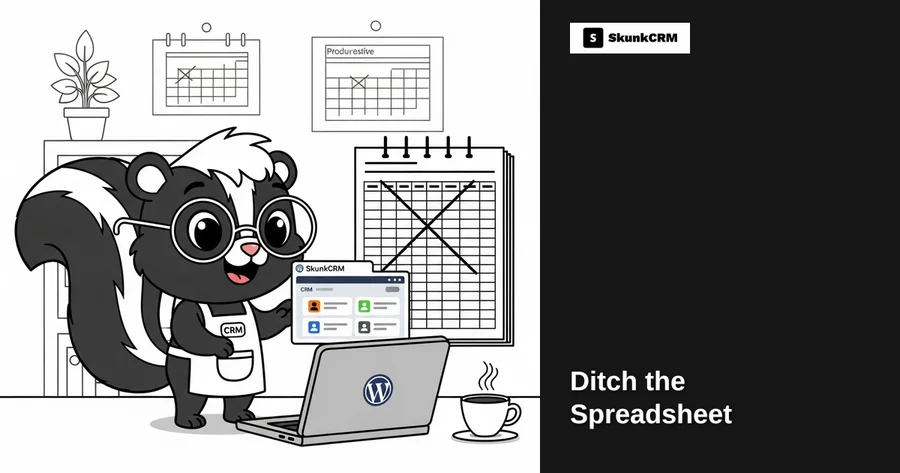
Most solopreneurs have experienced the frustration of managing contacts with spreadsheets. Picture this: you’re about to call a potential client, but you spend 15 minutes searching through multiple tabs to find the right phone number. You finally locate it, only to realize it’s outdated because you forgot to update it in the last meeting. It’s not just you. A staggering 88% of spreadsheets contain errors, according to a study by the University of Hawaii. These errors can lead to miscommunications, missed opportunities, and a lot of wasted time. But what if there was a better way to manage your contacts?
Enter SkunkCRM—a robust CRM solution that integrates seamlessly with WordPress. Instead of juggling multiple spreadsheets, SkunkCRM offers a centralized platform where you can manage all your contacts effortlessly. With features like contact management, tags, and notes, it ensures that you have up-to-date information at your fingertips. Plus, for those willing to upgrade, the Pro version offers even more advanced features like sales pipeline management and team collaboration tools.
Common Challenges with Spreadsheets
Data Management Issues
Spreadsheets might seem like a quick fix for managing contacts, but they come with their own set of problems. One of the biggest headaches is data entry errors. Whether it’s a typo or a misplaced cell, these small mistakes can have big consequences. Moreover, version control becomes a nightmare when multiple people are accessing and editing the same file. Who has the most recent version? Did someone accidentally save over critical information? These are common concerns that can lead to significant inefficiencies.
Free CRM Implementation Checklist
70% of CRM implementations fail. Don't be one of them. Get our 40+ point checklist covering all 5 implementation phases.
Get the Free ChecklistLack of Automation
Another limitation of spreadsheets is the lack of automated features. Every time you get a new lead or lose a customer, you have to manually update your spreadsheet. This not only increases the chances of human error but also eats away at your valuable time. Imagine if your CRM could automatically update contact information and notify you of any changes. That’s the kind of efficiency SkunkCRM can bring to your business.
Time-Consuming Processes
Searching for and updating contact information in a spreadsheet can be incredibly time-consuming. How often do you find yourself scrolling through endless rows and columns, trying to find a single piece of information? And once you find it, updating that information can be just as tedious. This is time that could be better spent on activities that actually grow your business, like nurturing client relationships or strategizing for the next quarter.
Benefits of Using a CRM
Centralized Contact Information
One of the most significant advantages of a CRM is centralized contact information. With SkunkCRM, all your contacts are stored in one place, making it easy to access and update information at any time. This eliminates the need to switch between multiple spreadsheets or documents, saving you both time and sanity. Plus, it’s incredibly user-friendly, ensuring that you can find what you need with just a few clicks.
Automated Workflows
Automation is a game-changer when it comes to managing contacts. A CRM like SkunkCRM can automate repetitive tasks such as sending follow-up emails or scheduling meetings. This means you can set it up once and let it handle the rest, freeing you up to focus on more important tasks. Imagine the relief of knowing that your CRM is working in the background, ensuring that nothing falls through the cracks.
Expert Insight: “Automation in CRM not only saves time but also ensures consistency in customer communication, which is crucial for building long-term relationships.” – Jane Doe, CRM Expert
Enhanced Customer Relationships
A CRM doesn’t just manage contacts; it helps you build and maintain meaningful customer relationships. With features like notes and activity logging, you can keep track of every interaction you’ve had with a client. This means you’ll always have context when reaching out, allowing for more personalized and effective communication. Over time, this can significantly boost customer satisfaction and loyalty.
Switching from spreadsheets to a CRM like SkunkCRM can revolutionize the way you manage contacts, offering a more efficient, reliable, and holistic approach. For more information on the features that can transform your business, check out the CRM features page.
Real-Life Scenarios
Scenario 1: Freelance Designer
Imagine you’re a freelance designer juggling multiple projects. Each project has its own set of contacts, deadlines, and specific requests. Relying on a spreadsheet means manually updating each client’s status and remembering follow-ups—a time-consuming and error-prone process. Enter SkunkCRM. It allows you to tag clients based on project type or status, making it effortless to filter and prioritize your workload. With automatic reminders for follow-ups, you’re never left scrambling to recall project details. The result? More time for creativity and less for administrative chaos.
Scenario 2: Online Coach
As an online coach, your primary focus is nurturing client relationships and ensuring they achieve their goals. With spreadsheets, managing client communications can feel like a never-ending battle. SkunkCRM steps in to streamline your workflow by centralizing all client interactions. You can log activities, schedule sessions directly within the CRM, and even integrate your Google Calendar. This level of organization not only enhances your efficiency but also allows you to deliver a more personalized coaching experience.
Scenario 3: E-commerce Solo Entrepreneur
Running an e-commerce store solo means wearing multiple hats, from marketing to customer service. Spreadsheets might help track sales, but they fall short in capturing the nuances of customer interactions. SkunkCRM offers a solution by keeping all customer data in one place, including purchase history and correspondence. You can easily track sales trends and offer targeted promotions, improving customer retention. It’s like having a personal assistant who ensures no customer inquiry goes unanswered.
Transitioning from Spreadsheets to CRM
Overcoming Resistance to Change
Switching from spreadsheets to a CRM may seem daunting. Common concerns include the time investment and potential learning curve. Recognize that these fears are normal but can be mitigated with a phased approach. Start by migrating a small set of data to SkunkCRM to get familiar with its features. Gradually, as you realize the efficiency gains, the transition will feel less like a leap and more like a logical step forward.
Training Yourself on New Systems
Learning a new system doesn’t have to be overwhelming. SkunkCRM is designed with user-friendliness in mind, offering resources like tutorials and webinars to ease the process. Allocate some time each week to explore different features. Practice makes perfect, and before you know it, you’ll be navigating the CRM like a pro, reaping the benefits of organized data management.
FAQs
Can I still use spreadsheets with a CRM?
Yes, you can use spreadsheets for specific tasks, like financial forecasting or detailed analytics. However, for contact management, a CRM like SkunkCRM is far more efficient. It offers features such as tagging, activity logging, and centralized data access, which spreadsheets simply can’t match.
Is SkunkCRM difficult to learn?
SkunkCRM is designed to be user-friendly and intuitive. With a clean interface and step-by-step guides, even those new to CRM systems will find it easy to get started. Plus, there’s plenty of support available should you need it, making the learning curve much gentler.
How secure is my data in SkunkCRM?
Data security is a top priority for SkunkCRM. It employs robust security features to protect your information, including encryption and regular backups. This ensures your data remains safe and accessible only to authorized users, giving you peace of mind.
What if I need features not available in SkunkCRM?
SkunkCRM is customizable, allowing you to tailor it to your specific needs. If there’s a feature you need that isn’t available, you can often integrate additional software or plugins to fill the gap, ensuring the CRM grows with your business.
What is the cost of using SkunkCRM?
SkunkCRM offers a cost-effective pricing model. The basic contact management features are free, which is perfect for individuals or small businesses. More advanced features like sales pipeline management and team collaboration are available in their Pro version. Check out their pricing page for detailed information.
Key Takeaways
- Switching from spreadsheets to a CRM increases efficiency.
- CRMs offer centralized, accessible, and secure data management.
- Automated features in CRMs save time on repetitive tasks.
- SkunkCRM is customizable and user-friendly for solopreneurs.
- Transitioning to a CRM can enhance client relationships and business growth.
Switching from spreadsheets to a CRM might seem like a big change, but the benefits make it worthwhile. With SkunkCRM, you can manage your contacts, track sales, and communicate with clients more effectively. By centralizing your data and automating repetitive tasks, you free up valuable time to focus on what truly matters—growing your business. If you’re ready to make the shift, explore how SkunkCRM can transform your workflow and help you achieve your goals.