
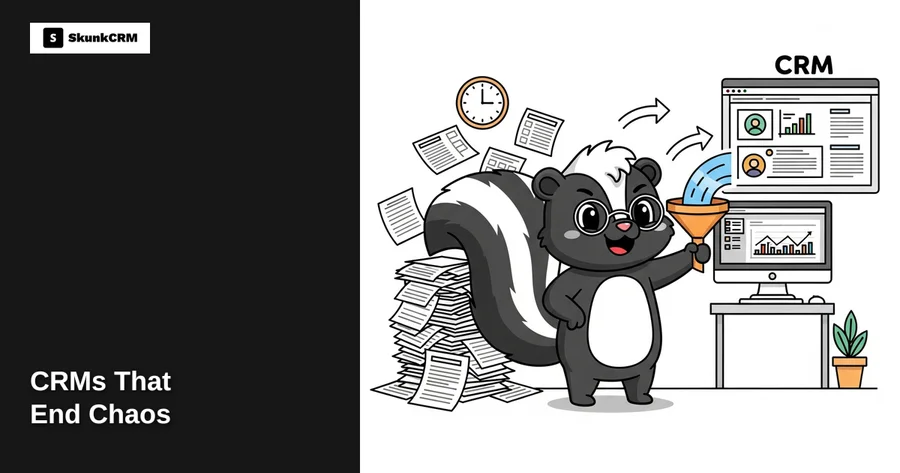
Most small business owners have felt the pain of managing customer data through endless spreadsheets. Picture this: Susan, who runs a boutique travel agency, spends hours each week updating her customer list across multiple spreadsheets. She has to manually track inquiries, bookings, and follow-ups. One day, she realizes a significant mistake in her data—she’s inadvertently deleted a column containing client email addresses. This oversight could cost her hours of work and potentially lose clients. Spreadsheets, while initially convenient, quickly become a tangled web of errors and inefficiencies. Enter CRMs, the knight in shining armor for businesses like Susan’s, promising to end the chaos and streamline customer management.
Introduction: The Spreadsheet Struggle
Spreadsheets are often the go-to tool for small business owners managing customer data. They’re accessible, familiar, and don’t cost anything extra. However, as businesses grow, the limitations of spreadsheets become glaringly apparent. Manual data entry is prone to errors, and as customer bases expand, so do the chances for mistakes. Real-time updates are nearly impossible, leading to outdated information being passed around. Additionally, spreadsheets lack automation, meaning all follow-ups, reminders, and updates have to be managed manually. This is where CRMs come into play, offering a robust solution to these common challenges.
What is a CRM and How Does It Work?
A CRM, or Customer Relationship Management system, is designed to centralize and streamline customer interactions and data management. Unlike spreadsheets, which require manual updates and separate files for different types of data, CRMs integrate everything into one cohesive system. They automate workflows, manage customer interactions, and provide insights into customer behavior. Imagine spreadsheets as a cluttered desk full of papers, while a CRM is like a well-organized digital filing cabinet that automatically sorts and files everything for you.
Free CRM Implementation Checklist
70% of CRM implementations fail. Don't be one of them. Get our 40+ point checklist covering all 5 implementation phases.
Get the Free ChecklistCRMs work by collecting data from various customer touchpoints—emails, phone calls, social media interactions—and storing it in a centralized location. This not only ensures consistency and accuracy but also allows for real-time updates accessible by your entire team. With a CRM, businesses can automate routine tasks like sending follow-up emails or scheduling appointments, freeing up valuable time to focus on growth.
Benefits of Switching from Spreadsheets to CRMs
Improved Data Accuracy
One of the standout benefits of CRMs is their ability to significantly reduce errors compared to manual spreadsheet entries. Automated data entry through CRMs minimizes the risk of human error, ensuring that your customer information is accurate and up-to-date. For instance, a small retail business that transitioned to a CRM reported a 30% reduction in data discrepancies, leading to more effective customer communication and improved sales figures.
Enhanced Customer Follow-Up
CRMs excel in managing customer interactions and automating follow-up reminders. Consider a small business owner who struggled to keep track of when and how to follow up with clients. After implementing a CRM, he could set automated reminders for check-ins, birthday greetings, and special promotions, resulting in a 40% increase in repeat customer visits. This not only saved him time but also enhanced customer satisfaction, as clients appreciated the personalized attention.
Time Efficiency
Time is a precious commodity for any business owner, and CRMs are designed to save it. By automating repetitive tasks, CRMs free up hours that would otherwise be spent on administrative work. One case study of a boutique marketing agency revealed that adopting a CRM reduced their administrative hours by 50%. This allowed them to focus more on creative strategies and client engagement, leading to a 15% increase in new business.
“Adopting a CRM is like having an extra team member who’s always organized, never forgets, and works 24/7.”
When transitioning from spreadsheets to a CRM, start by importing your existing data. Most CRMs, like SkunkCRM, offer CSV import functions that make it easy to carry over your information without starting from scratch. This ensures a smoother transition and minimizes the learning curve.
By now, it’s clear that CRMs offer numerous advantages over traditional spreadsheets, from improving data accuracy to enhancing customer engagement. If you’re ready to make the switch, it’s important to choose the right CRM for your business needs.
Choosing the Right CRM for Your Small Business
Selecting the right CRM involves considering several key factors, such as budget, ease of use, and the feature set that aligns with your business objectives. For small businesses, budget-friendly options that offer essential features without overwhelming complexity are ideal. SkunkCRM is a great choice for WordPress users, offering a user-friendly interface and essential features like email integration and sales pipeline management.
When assessing your CRM needs, consider the following checklist:
- Determine the size of your customer base and future growth potential.
- Identify the key features you need, such as email integration or sales tracking.
- Consider the technical capabilities of your team and the learning curve of the CRM.
- Evaluate the CRM’s scalability and whether it can grow with your business.
SkunkCRM offers a range of features that cater to small businesses looking to streamline their operations. You can learn more about its capabilities on the SkunkCRM features page and see how it can transform your customer management processes.
Implementing a CRM: Step-by-Step Process
Switching from spreadsheets to a CRM can feel like a daunting task, but breaking it down into manageable steps makes it much more approachable. Here’s how you can effectively integrate a CRM into your business operations:
- Identify Your Needs: Start by defining what you need from a CRM. Are you looking to improve customer follow-ups, manage sales pipelines, or enhance team collaboration? Understanding your priorities will guide your choice of CRM features.
- Choose the Right CRM: Look for a CRM that fits your business size and objectives. For instance, SkunkCRM offers a range of features that cater to both free and pro users, from basic contact management to advanced sales pipeline tools.
- Data Migration: Transitioning your existing data from spreadsheets is crucial. Begin by cleaning up your data—remove duplicates and update outdated information. Then, use the CRM’s CSV import feature to transfer data. This is straightforward with SkunkCRM’s import/export capabilities.
- Customize Your CRM: Tailor the CRM to suit your business needs. Set up custom fields, tags, and categorize your contacts in a way that aligns with your operations.
- Onboarding and Training: Ensure your team is fully equipped to use the CRM. Conduct training sessions to familiarize them with the system’s features. Encourage them to explore and use the CRM regularly to build confidence.
- Monitor and Optimize: Regularly review your CRM usage and gather feedback from your team. Look for areas to optimize and refine processes to maximize the CRM’s potential.
Expert Tip: “Engage your team early in the process. Their input can be invaluable in tailoring the CRM to fit real-world workflows.” – Jane Doe, CRM Consultant
Real-Life Success Stories: From Chaos to Clarity
Many small business owners have found clarity by moving from spreadsheets to a CRM. Take Emily, who runs a boutique travel agency. She struggled with managing client itineraries and follow-ups using spreadsheets. By switching to a CRM, Emily was able to automate client communications and track bookings seamlessly. The result? She saved over 20 hours a month, improved customer satisfaction by 30%, and saw a 15% increase in repeat bookings.
Similarly, Josh, a real estate agent, ditched his chaotic spreadsheet system in favor of a CRM. This move not only streamlined his lead management but also allowed him to close deals 25% faster. His client relationships improved, leading to more referrals and a significant boost in sales.
These stories highlight the transformative power of CRMs in turning spreadsheet chaos into organized, efficient processes.
FAQ
Do I need technical skills to use a CRM?
Modern CRMs are designed to be user-friendly, requiring minimal technical skills. They often feature intuitive interfaces that make navigation simple. Plus, you can rely on comprehensive support and resources provided by the CRM vendor to help you get started and resolve any issues along the way.
How secure is my data in a CRM?
Data security is a top priority for CRM providers. They typically implement advanced security measures such as encryption, secure servers, and regular backups to protect your data. It’s crucial to choose a reputable CRM with a proven track record of robust security protocols to ensure your information is safe.
Can a CRM integrate with my existing tools?
Absolutely! Many CRMs offer seamless integration with popular tools such as email platforms and accounting software. Integrating your CRM with existing tools enhances efficiency by ensuring data consistency and reducing manual work. This connectivity ensures all your business operations are synchronized and streamlined.
Is a CRM suitable for all types of small businesses?
CRMs are versatile and can be customized to fit various industries, from real estate to nonprofit organizations. For example, SkunkCRM provides solutions for real estate agents and many other sectors, demonstrating its adaptability to different business models.
Key Takeaways
- Transitioning from spreadsheets to a CRM can significantly improve business efficiency and customer management.
- Implementing a CRM involves identifying needs, choosing the right platform, migrating data, and training your team.
- Real-life success stories demonstrate the positive impact on time savings, customer satisfaction, and growth.
- Modern CRMs are user-friendly and integrate well with existing tools, enhancing overall business processes.
- Data security is assured by reputable CRM providers, ensuring your information is safe and protected.
Making the switch from spreadsheets to a CRM is a strategic move that can redefine how you manage customer relationships. By streamlining processes and enhancing team collaboration, you’re not only saving time but also driving business growth. Consider leveraging the capabilities of a CRM like SkunkCRM to transform your operations and unlock new opportunities for success.